You can set your store’s closed periods by navigating to Settings > Scheduling > Closed Periods.
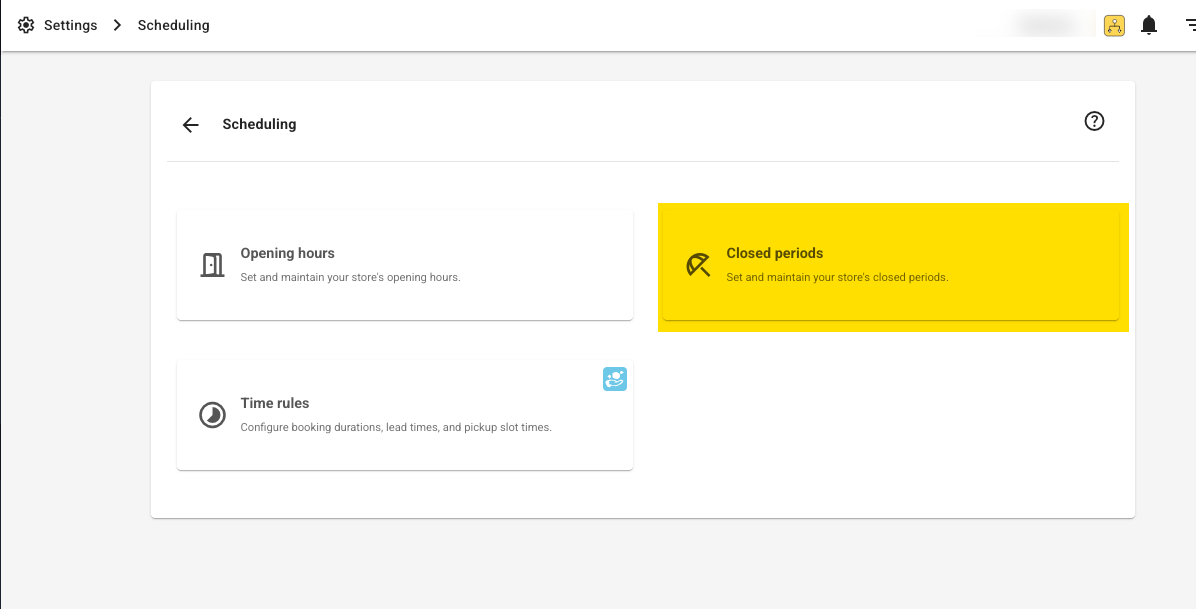
On this page, you’ll see a list of dates that represent exceptional days when your store is closed.
You can add or remove dates as needed.
Here’s an example:

See Also
Can bookings run across a closed day?
A closed period prevents a booking from starting or ending on the closed date. A booking can still run across it. For example, if the shop is closed on Monday, a customer can rent from Sunday to Tuesday, subject to the store’s other booking rules and bike availability. You do not need to remove Monday’s closure to allow that booking.
Was this article helpful?
That’s Great!
Thank you for your feedback
Sorry! We couldn't be helpful
Thank you for your feedback
Feedback sent
We appreciate your effort and will try to fix the article