
What pick-up spacing does
Pick-up spacing keeps your handovers manageable by limiting how many pick-ups are allowed within a given time window, so you don't get everyone arriving at once. You set the rule once and BRM enforces it when customers book. 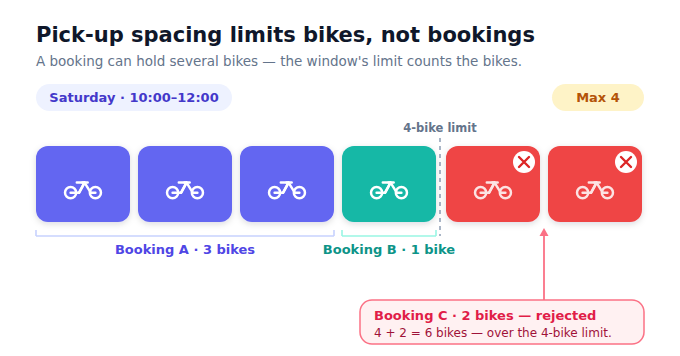
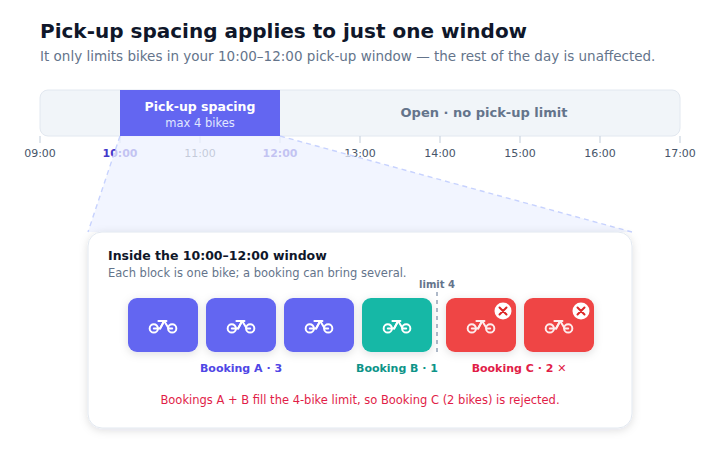
What's new: pick-up spacing is now enforced on the Customer Booking Page, not just the legacy booking flow — so the same rule applies consistently wherever a customer books, and two customers can't both take the same slot because an online booking ignored the rule.
How to set up a rule
- Go to Settings → Customer Booking (Online) → Pickup Spacing (or type “spacing” in the settings search).
- Click Create.
- Set the Pickup spacing window — a Start time and End time.
- Set the maximum allowed in that window (the Maximum Customers field).
- Tick the Days of the week the rule applies to, and set its valid date range.
- Save. The rule applies to new online bookings straight away.
⚠️ What the limit actually counts
Even though the field is labelled Maximum Customers, the limit counts the number of items picked up in the window — not the number of bookings or people. For example, if your limit is 4 and one customer books 3 bikes, that window has room for just 1 more item. Set your maximum with your busiest realistic item throughput in mind.
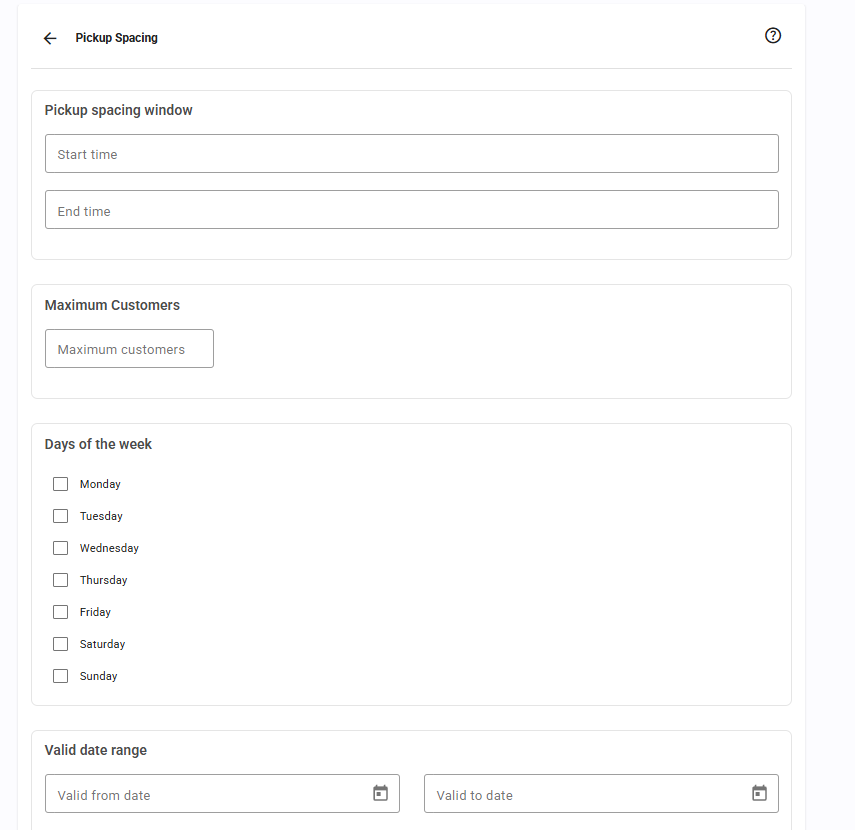
Your existing rules are listed with their valid date range, time range, days of the week and the maximum for each window.
FAQ
I had a spacing rule but it wasn't working online — is that fixed?
Yes. Spacing is now enforced on the new CBP. If you're still on the legacy OBW, this is one more reason to switch.


Was this article helpful?
That’s Great!
Thank you for your feedback
Sorry! We couldn't be helpful
Thank you for your feedback
Feedback sent
We appreciate your effort and will try to fix the article