Adding inventory to a specific offering is easy, it uses the normal flow that you are used to for adding inventory with one tiny extra step.
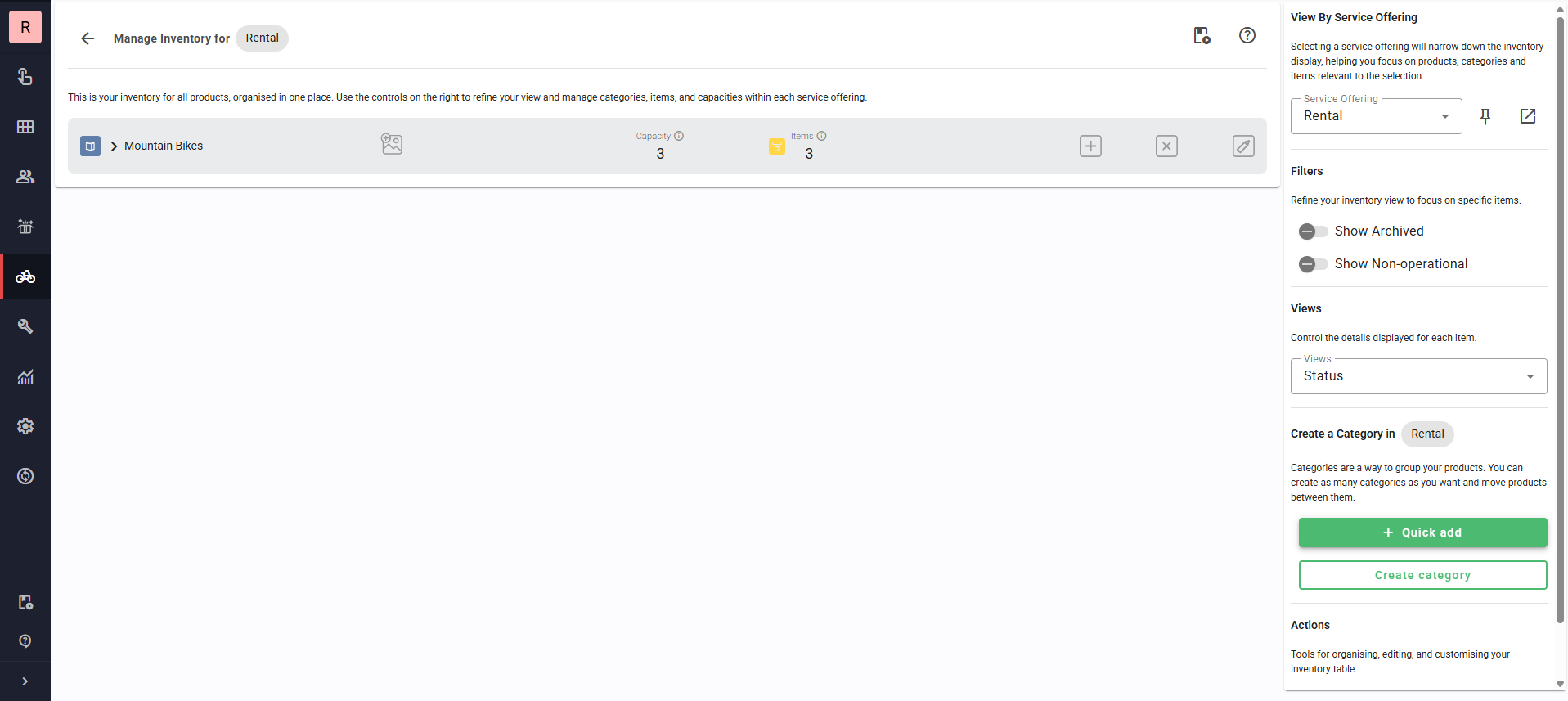
When you land on the inventory page, change the 'View by Service Offering' on the right to the offering you wish to add inventory to. This may have already been done for you, depending on how you landed on the page (some links will pre-fill with the offering you are currently working on)
You can also click the pin icon to 'pin' that offering, so it follows you to other pages as well - this works well for someone setting up a new offering that doesn't want to remember to change the offering each time they land on a page.
Was this article helpful?
That’s Great!
Thank you for your feedback
Sorry! We couldn't be helpful
Thank you for your feedback
Feedback sent
We appreciate your effort and will try to fix the article