Here is a summary of the key benefits ✨
- Modern look and feel
- All-in-one to. Browse availability, make reservations, search and manage reservations all on the same page
- Dual-view. See from one point of view (product) and then switch to the other view (reservation) in a second
- Get your answer in one or two clicks
- Scan around different date ranges very easily
- Drag and Drop to change reservations in an instant
- Breakdown into Hours view - see your entire day hour by hour
- Drill right down to a specific setup of filters, want to view only certain Service Offerings in a specific date range under a certain booking stage? You can.
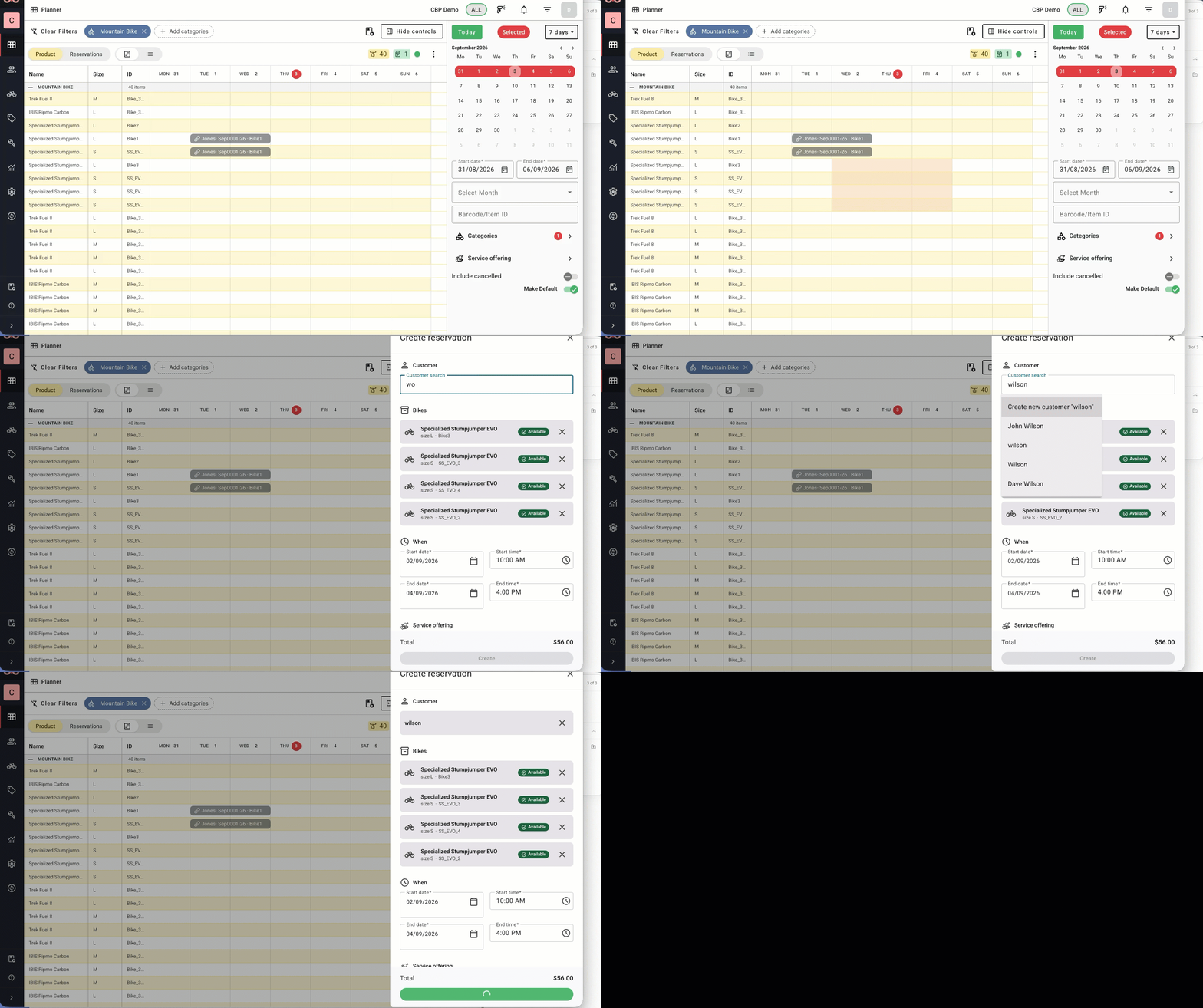
Quick animation of how to make a reservation - go to Product View and just drag and drop the bikes & dates you want.
Full instructions here:
How to try it out - please see this link for full details

The next phase is about extending the feature set so that it does all that the old one could do.
- see the table below 'Feature Rollout'
and then doing NEW things the old version couldn't do. For example;
- Drag and drop changes (e.g. dates and bikes within reservations)
- Set custom searches (coming soon)
- Default category saving
- View your Service Offerings
- more default behaviour - to suit your business best
Key concepts of new version
- 2 minute 'concept overview' video ?
- there are 3 dimensions - bikes, dates and reservations. Tell us one or two and we'll do the rest
- 2 sides of same coin. Easy switch between product view and reservation view.
- expired reservations shown with a faded colour.
- we use chips to show what you're looking at. Inventory chips are blue & yellow, reservation chips are green.
- Tendency for pre-population - a page is easier to understand when it has data in it.
See Also
2 min overview video
The following silent video highlights the key features of the new planner:
Was this article helpful?
That’s Great!
Thank you for your feedback
Sorry! We couldn't be helpful
Thank you for your feedback
Feedback sent
We appreciate your effort and will try to fix the article